Quick answer: Remote support lets a technician see your screen and, with your explicit permission, control your mouse and keyboard to fix problems without visiting in person. It only ever starts when you initiate it, and ends the instant you close the program - you stay in control the whole time.
Something is not right with the computer. You Google the error, get forum posts from 2009. You ask an AI, it gives you three fixes - none of which work. Eventually you decide to call someone, and they say "I'll just need to take control of your screen for a second." Suddenly the computer problem is forgotten, because now you have a more pressing question: is this person about to steal everything you own, or are they just going to fix the printer?
Remote support is one of the most genuinely useful things in modern IT - when it is done right, by someone you actually trust, using a tool that puts you in control. The problem is that it has also become the calling card of some of the most predatory scams targeting Australians. So let's clear the air on all of it: what remote support actually is, which tools are safe, how we at hugmypc do it, and exactly what a scammer looks like by comparison. By the end of this you will know the difference. That knowledge is worth a lot more than a cup of tea.
What Is Remote Support, Actually?
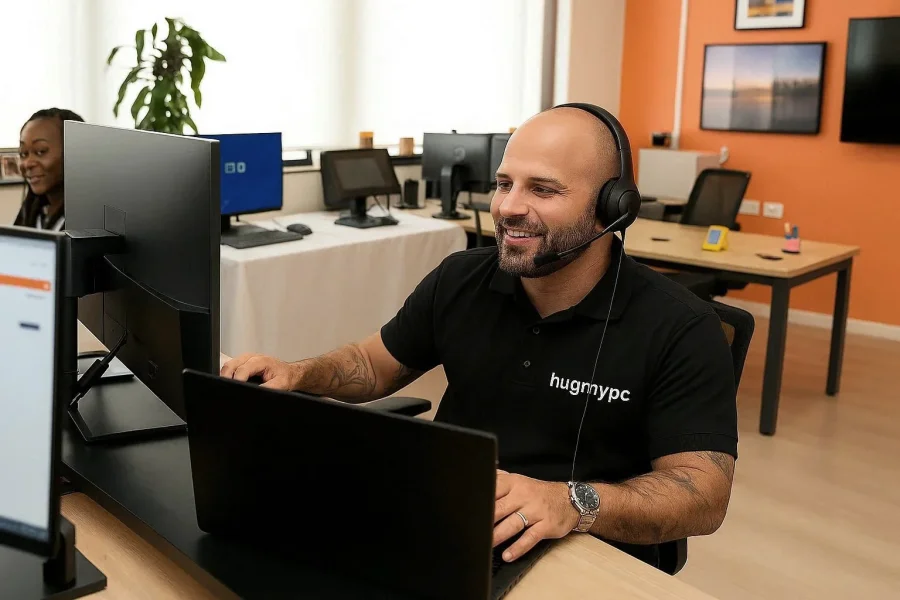
Remote support means a technician can see your screen and - with your explicit permission - move your mouse and type on your keyboard, as if they were sitting next to you. They cannot access your webcam. They cannot get in silently while you are asleep. They cannot do anything without you running a small program first and either sharing a code or clicking "allow." The moment you close that program, the connection ends. Instantly. No fuss.
Think of it less like handing someone the keys to your house and more like sliding a window open and letting them point at things. You are there the whole time. You can see everything they do. And you can slam that window shut whenever you like.
The Tools We Use - and Why We Chose Them
There are dozens of remote support tools out there, and most of them are not worth your time or your trust. The ones we have listed below made the cut for the same reasons: they are well-regarded in the industry, transparent about what they do, and built with your privacy in mind. That is the criteria - trust, security, and a solid reputation. Nothing else.
| Tool | Best For | Trust Factor | Download |
|---|---|---|---|
| RustDesk | Open-source, privacy-focused, no tracking, leaves no footprint | Windows 64-bit · Windows Arm64 · Mac Silicon | |
| AnyDesk | Simple one-off sessions, works well on typical Aussie NBN | Windows · macOS | |
| Quick Assist | Already on Windows 10/11 — nothing to download at all | Start menu - search "Quick Assist" | |
| TeamViewer | Widely recognised, good for older Windows PCs | Windows 64-bit · macOS |
Our preferred tool at hugmypc is RustDesk. It is open-source, meaning its code is publicly available for anyone to read and audit - no hidden behaviours, no data collection, no surprises. It is fast, leaves no footprint once you close it, and works reliably over a typical Aussie NBN connection. You download it, open it, read us the code on your screen, and that is the whole process. No account. No subscription. No reason to panic. And just so we are crystal clear: nobody gets in without your say-so. Every connection attempt triggers a popup on your screen asking you to approve it.
Tip: Always download remote support tools directly from the official website links above. Never download anything from a link texted to you or posted in a pop-up browser window. If the download page has a slightly-off URL - like "anydesk-download.net" instead of "anydesk.com" - close it immediately.
How a Remote Session Actually Works
We are an on-site business first - we come to you, in person, and that is still the best way to sort out most problems. Because of that, we have a firm policy: remote support is only available to clients who have already had at least one on-site visit with us. We want to know you, and we want you to know us, before we ever ask you to hand over a session code. That relationship matters. That first visit is an ordinary home tech support call-out.
On rare occasions we will make an exception - usually where an in-person visit is genuinely impractical - but that is the exception, not the rule. Once we have met in person, remote sessions become a handy option for the smaller stuff: a software glitch, a settings question, a follow-up from a recent job, or when you need help the same day and we cannot get to you in time.
Here is exactly what happens when we do it:
You call us - we never call you uninvited
We tell you which tool to use and where to get it
You read us the code on your screen
We work on the problem - out loud, with you watching
You close the program when we are done
How every hugmypc remote session runs - from first call to clean disconnect.
The Scam Version Looks Very Different
Tech support scams are prolific in Australia and they disproportionately target older residents - including plenty of people in communities like Robina, Varsity Lakes, and Helensvale. The script is almost always the same: a call arrives claiming to be from Microsoft, Telstra, or the NBN Co. They tell you your computer is sending error signals. They sound official. They create urgency and fear - and that, right there, is the tell. Real IT problems are annoying. They are rarely five-minute emergencies that require a stranger on the phone to have access to your computer or you will lose everything. That is not how computers work. That is how fraud works.
The things scammers do that we will never do: call you uninvited, ask for payment via gift cards or wire transfer, threaten shutdown if you do not act immediately, invoke the AFP or the ATO, or ask for your myGov or banking details under any circumstances. We are here to fix computers - not to frighten people into handing over their savings. If you want to go deeper, we have written a full guide on protecting yourself from tech scams that is worth a read.
A Note on Privacy and What We Can See
During a remote session, we can see your screen - whatever is on it. If you have sensitive documents open, close them first. If you have your internet banking or myGov in a browser tab, close those tabs. We will never ask you to log in to financial accounts and we have no interest in your personal files. But tidying up your screen before we start is just good practice - the same way you might tidy the kitchen before the plumber arrives, not because the plumber cares, but because it feels better.
We do not record sessions. Access codes change every time you open the app, and when the session ends, access ends with it. The only information we hold about you is what you gave us when booking: name, phone, address, email.
Tip: If you ever feel uncomfortable during a remote session with anyone - including us - close the remote support program immediately. You are always in control. A technician worth trusting will not pressure you to keep the session open. If closing the app does not feel like enough, simply restart your computer - it will clear everything from memory and kill any active sessions outright. It is the nuclear option, but it works every time and there is absolutely nothing wrong with using it.
Remote Support Is Good. Uninvited Access Is Not.
The technology itself is fine. AnyDesk, RustDesk, Quick Assist - these are legitimate, well-maintained tools used by IT professionals around the world every day. The problem has never been the tools. The problem is the people who exploit the unfamiliarity of those tools to take advantage of people who just want their computer to work properly.
We built hugmypc because computers should work for people - not the other way around. Every client we help, every screen we fix, every "oh thank goodness" we hear on the other end of the phone - that is exactly why we do this. Remote support done right is just IT the way it always should have been: fast, friendly, transparent, and completely on your terms. You stay in control, we do the nerdy bits, and everyone wins. If your computer is being a pain right now, do not sit there stewing - give us a call on 07 3522 2896, book online, or just send us a message. We genuinely cannot wait to help. The computer does not stand a chance.